Song - Lyrics
Define the lyrics of a song.
In the lyrics tab you define the lyrics of the song. Lyrics are a set of lyrics fragments wich go onto on line. The line can be freely positioned in a bar and snap to a beat. The number of beats on the bars depend on the parts structure you have defined in the parts tab of your song.
Note
This is not MS-Word - and it is not meant to be. Lyrics are placed in bars and beats and displayed in sync with the performance on phones and tables on stage. Therefore the fromatting is limitted to only coloring.
Lyrics
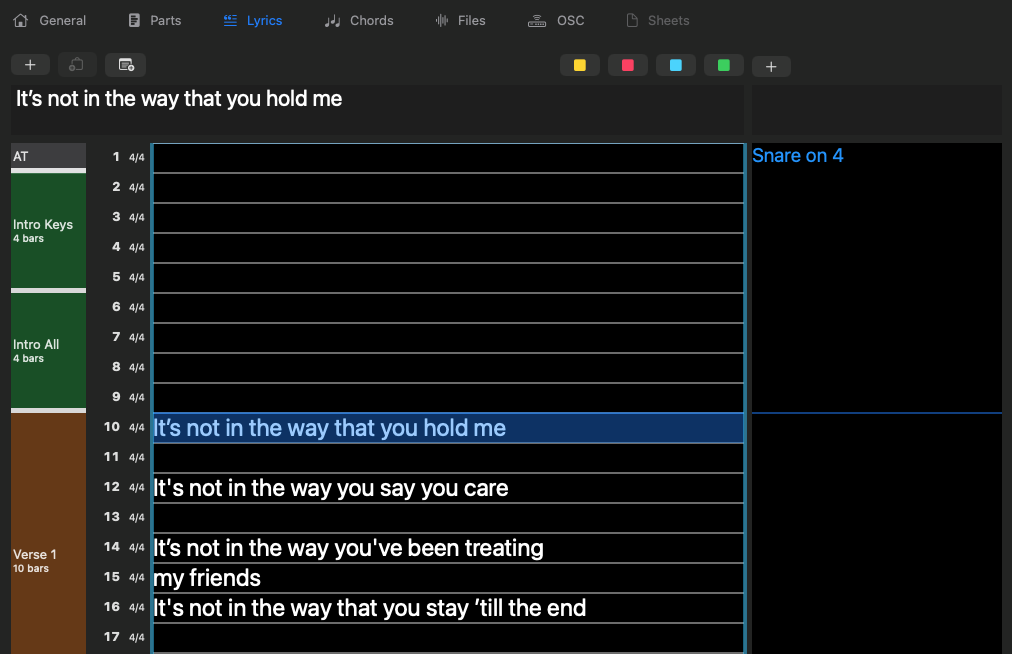
Lyrics are organized in so-called lyrics fragments. They can have line breaks but it is not really recommended because it makes the prositioning much more difficult.
Above the lyrics text editor, you will find control buttons that let you manage the lyrics fragments. These buttons typically allow you to add new fragments, remove selected fragments, or collorize them. This can be used to mark parts that are sung by the backing vocals.
Undo
Any change you have done to the lyrics can be undone by pressing ⌘Z or selecting Undo from the edit menu. You can undo multiple edits in a row.
Selecting lyrics
If you click on a lyrics fragment it will appear in the text editor so you can change it. You can also drog it to another position.
You can left-click and drag over multiple fragments which will select all of them. You can drag them all together, too.
Cut, Copy & Paste
Within the text editor you can do the normal cut 'n' paste operations that you know from any text field. If you have one or more lyrics framgemtns selected you can cut or copy them or replace them by pasting.
When you have copied multiple lines of text from another app (Text edditor or a browser) you can paste them as multiple lyrics fragments into the lyrics grid. On the mac use the paste command ⌘V, on the iPad use the context menu (long press) to paste.
Parts
On the left you see the parts you have defined. Between the parts there is a handle that you can drag up and down to change the length of a part. Chords and lyrics in the following parts will move relative to the change you are making in part lenght.
Linking parts
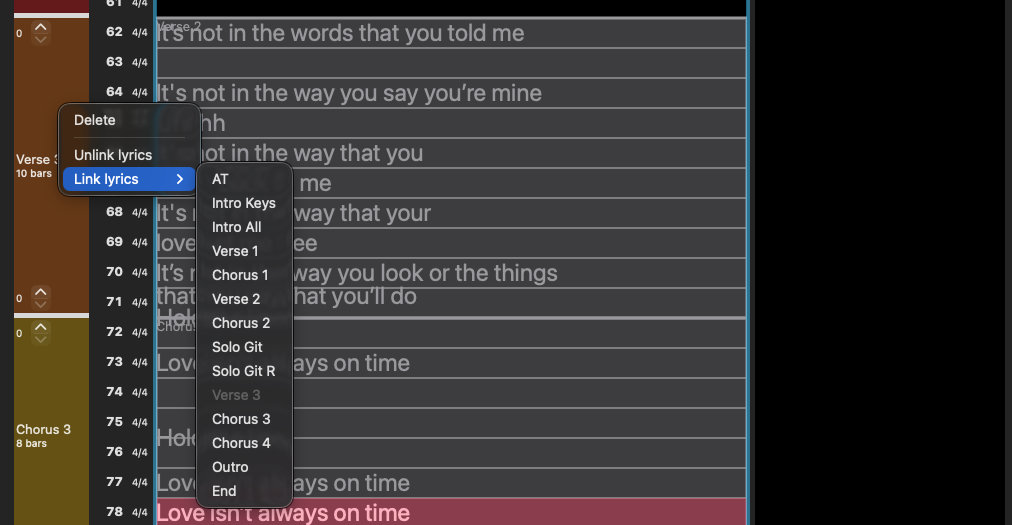
By right-clicking a part you open the context menu which lets you delete a part or link/unlink the lyrics of a part. So if the second chorus is like the first you can simply link it. If it has an upbeat you can include up to 4 bars before in the linkage with the little stepper that appears on linked part at the top. If the folowing part has an upbeat you can exclude up to 4 bars from the linkage using the stepper at the bottom.
Linked parts appear with gray background showing the linked lyrics. but you can still a more lyrics to the part if you need to.
Comments
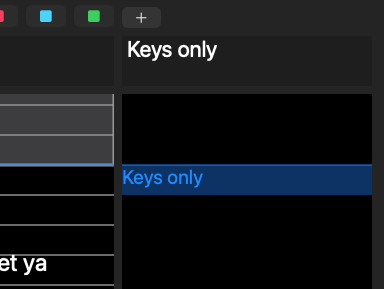
ShowPulse lets you add comments that are displayed next to the lyrics/chords. They can be edited the same way as the lyrics but they exist on the bar. So they can't be positioned on the beats.
Importing Lyrics
You can import lyrics from a text file. The text file should contain the lyrics in plain text format, with each line representing a lyric fragment. Blank lines will be ignored. A line in square brackets (e.g., [Chorus], [Verse 1]) will be treated as a part marker. If the part marker does not exist in the song it will be ignored.
[Verse 1]
We were good, we were gold
Kind of dream that can't be sold
We were right 'til we weren't
Built a home and watched it burn

[Pre-Chorus 1]
Mmm, I didn't wanna leave you, I didn't wanna lie
Started to cry, but then remembered I

[Chorus 1]
I can buy myself flowers
Write my name in the sand
Talk to myself for hours
To import lyrics, click on the "Import Lyrics" button
 located above the lyrics fragment editor. This will open a file dialog where you can select the text file containing your lyrics.