Viewer Android
The Android viewer.
The Andriod viewer works on phones and tablets (Android 8 "Oreo" or later). On phones it only works in landscape mode.
The viewers do connect to the ShowPulse instance in the network automatically. If you have multiple ShowPulse instances running in your network the viewers will connect to the first ShowPulse that respons.
If the ShowPulse server is not in the same network you can still connect by entering its IP address or hostname in the settings.
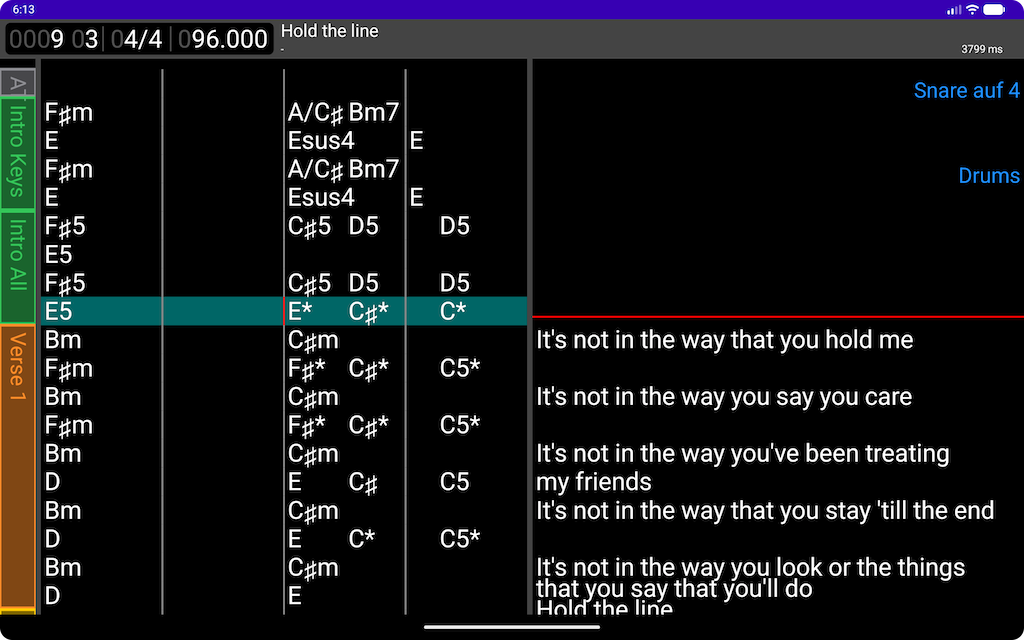
When the viewer is connect you see the main view with chords and lyrics and the transport info on the top-left and the current song name on the top-right. The parts are shown on the left hand side for orientation within the song.
The transport section shows the current bar and beat, the time signature and the current tempo.
Comments will be displayed on the right hand side.
when the song has sheet music as images those will be shown instead of chords and lyrics.
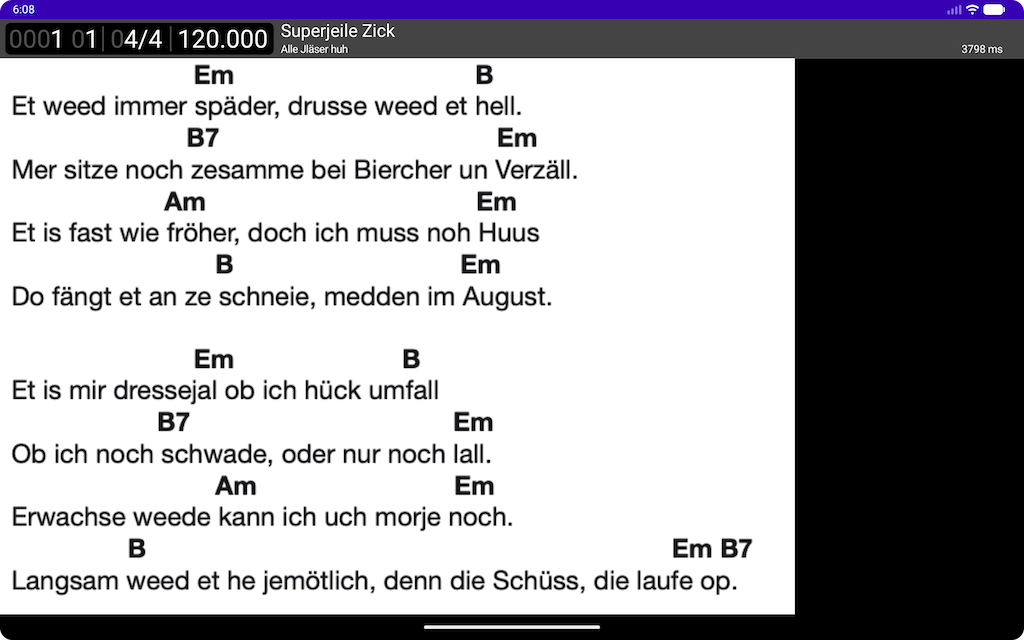
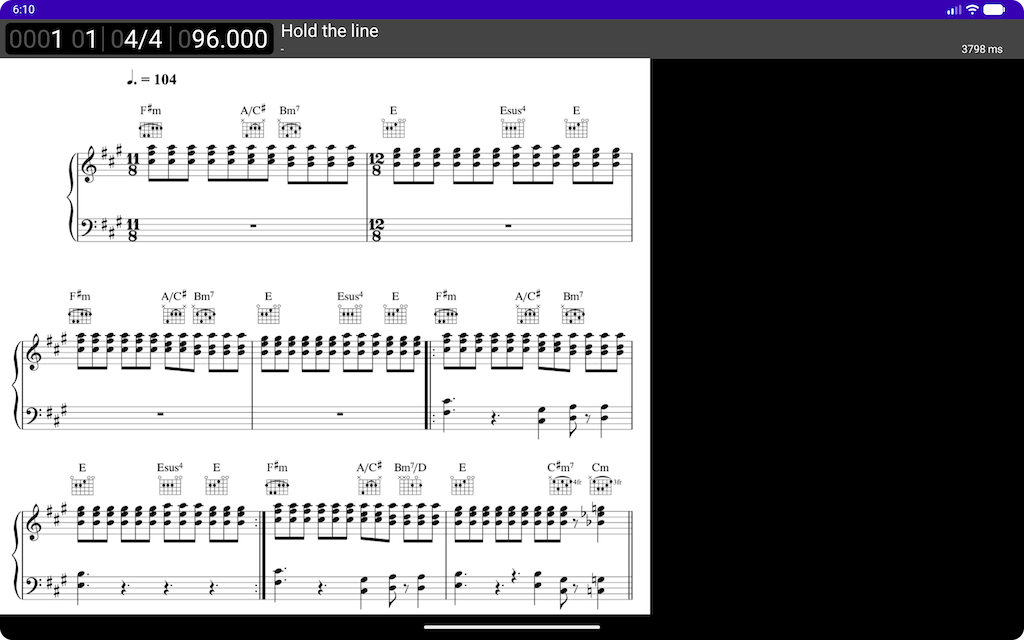
The image will be scalled to fit the screen automatically.
Settings
To enter the settings tap on the top bar. To exit out of the settings tap the back button.
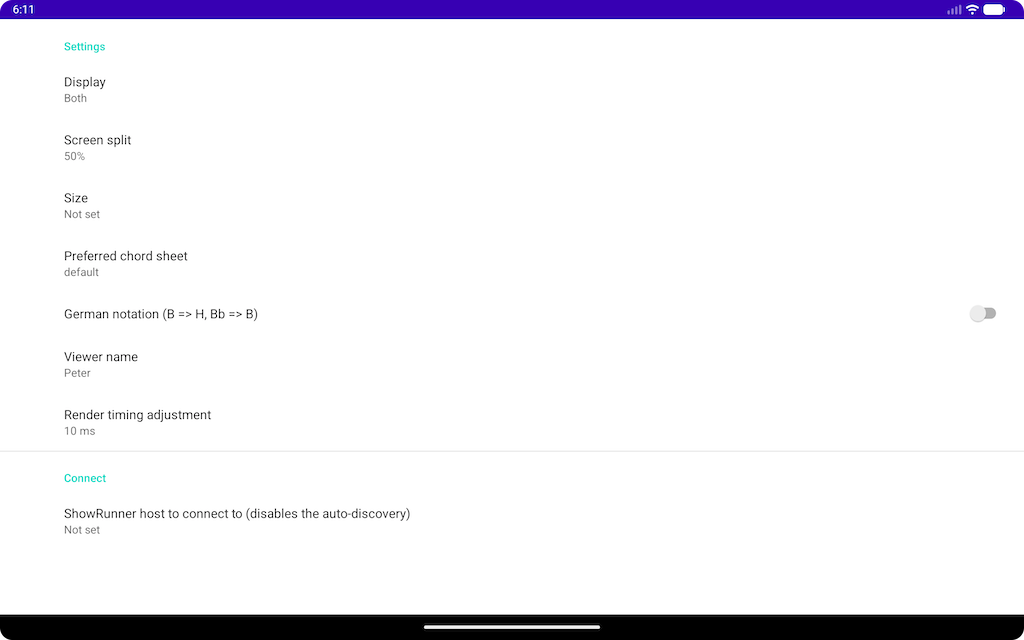
| Setting | Description | Default |
|---|---|---|
| Display | Watch chords, lyrics or both. | both |
| Screen split | Where do you want the screen splitt if you see both. | 33% |
| Size | Font size from XS to XL. | M |
| Preferred chord sheet | In case the song has more than the default chord sheet - which one do you want to see. | default |
| German notation | Display chord sheets in German notation. B => H, Bb => B | off |
| Viewer Name | Give the viewer a name which will be displayed on the server side so one can see which viewers are connected. | empty |
| Render timing adjustment | Number of milliseconds to adjust rendering so that sound and video are in sync. | 10 |
| ShowPulse host | The IP or hostname of the ShowPulse server in case it is not in the same network segment or UPD is not allowed in the network. | empty |
ShowPule host
Setting the host disables auto discovery.